Still editing after the research? SpanSearch or Perplexity?
Both run deep research. Perplexity hands you a report, slides, and a spreadsheet. SpanSearch puts the result in a document, a mind map, a whiteboard, and a picture, and you edit them.
Both can open sites you are signed in to. Perplexity edits by selecting a part and describing the change. SpanSearch edits directly in the document, the map, the board, and the picture.
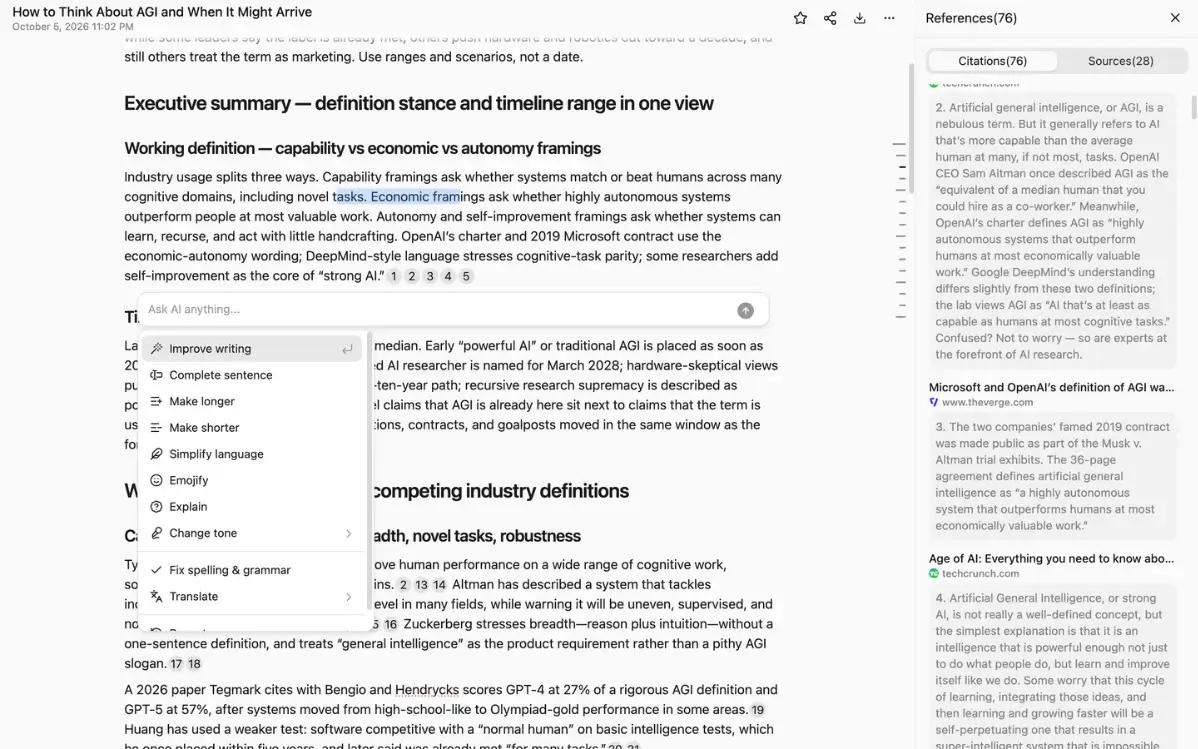
Citations: the passage stays next to the sentence
Perplexity marks the source after the sentence and adds an excerpt. Open it and you get the original page. When you edit the sentence, that excerpt is not in the draft. SpanSearch puts the passage next to the sentence. If it matches, keep the sentence. If it does not, change the sentence or delete it. The source stays on that sentence.
Editing: change it in the editor
Perplexity can produce a document, slides, a spreadsheet, and a chart. To change a document or slides, select a part and describe the change. To change a picture, it generates a new one. SpanSearch splits the work: edit the words in the document, drag branches on the map, move boxes and arrows on the board, and change only the part of the picture you click.
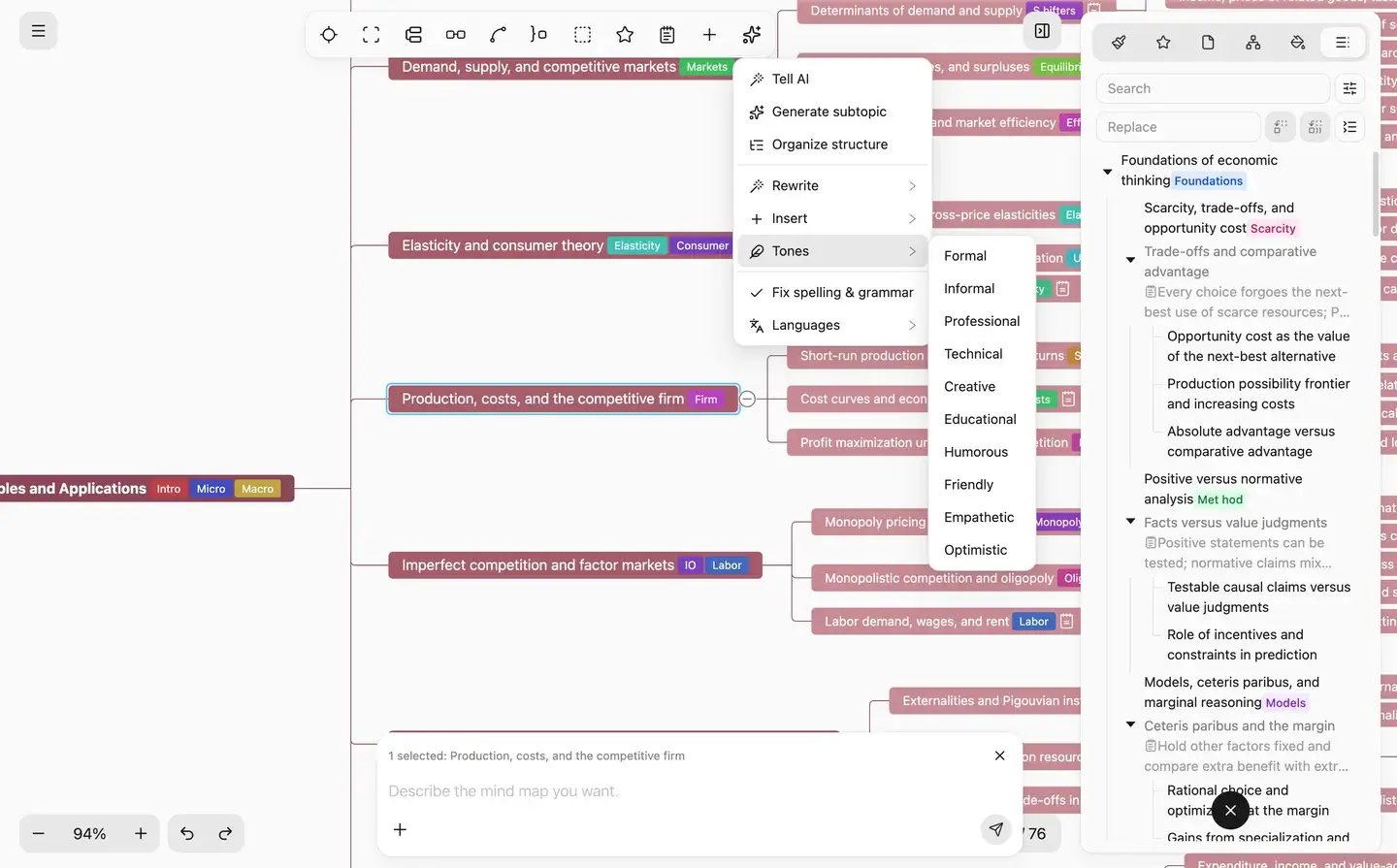
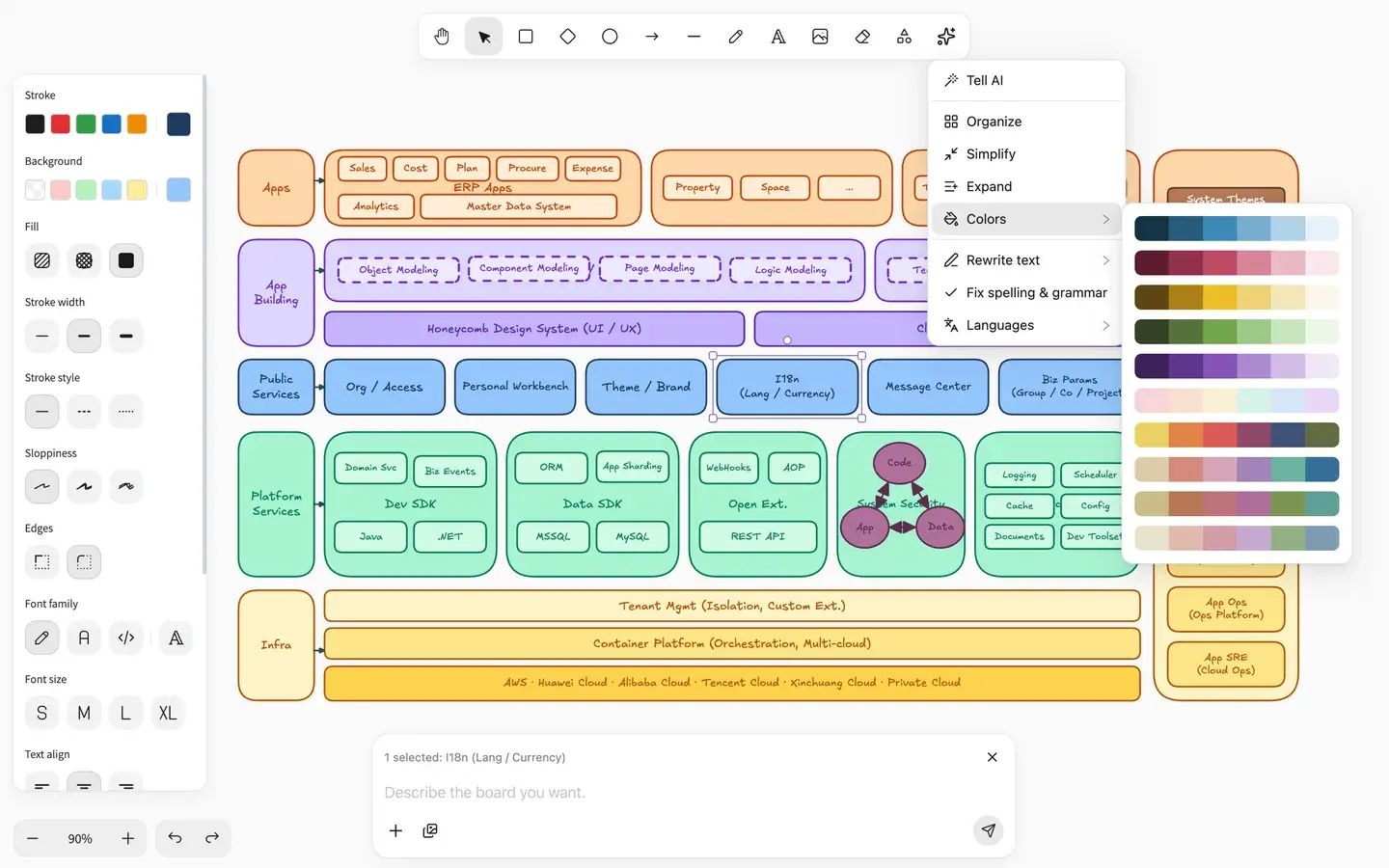
Structure and flow: a map and a board
Perplexity puts structure and flow into slides, an outline, or a chart. To adjust them, describe the change again. SpanSearch puts structure on a mind map and flow on a whiteboard. You can drag a branch, and move a box or an arrow. The map imports and exports with Xmind.
Signed-in sites: the browser you already use
Perplexity opens signed-in sites through Comet, or through a service you have already connected. SpanSearch uses Chrome, Edge, Brave, or Opera on your computer, and the session already signed in there. You do not hand over the account or the password.
You still need the passage next to the sentence, or you need to edit the map, the board, or the picture directly.
The passage stays next to the sentence
If it matches, keep the sentence. If it does not, change the sentence or delete it. The source stays on that sentence, so you can check the same passage again.
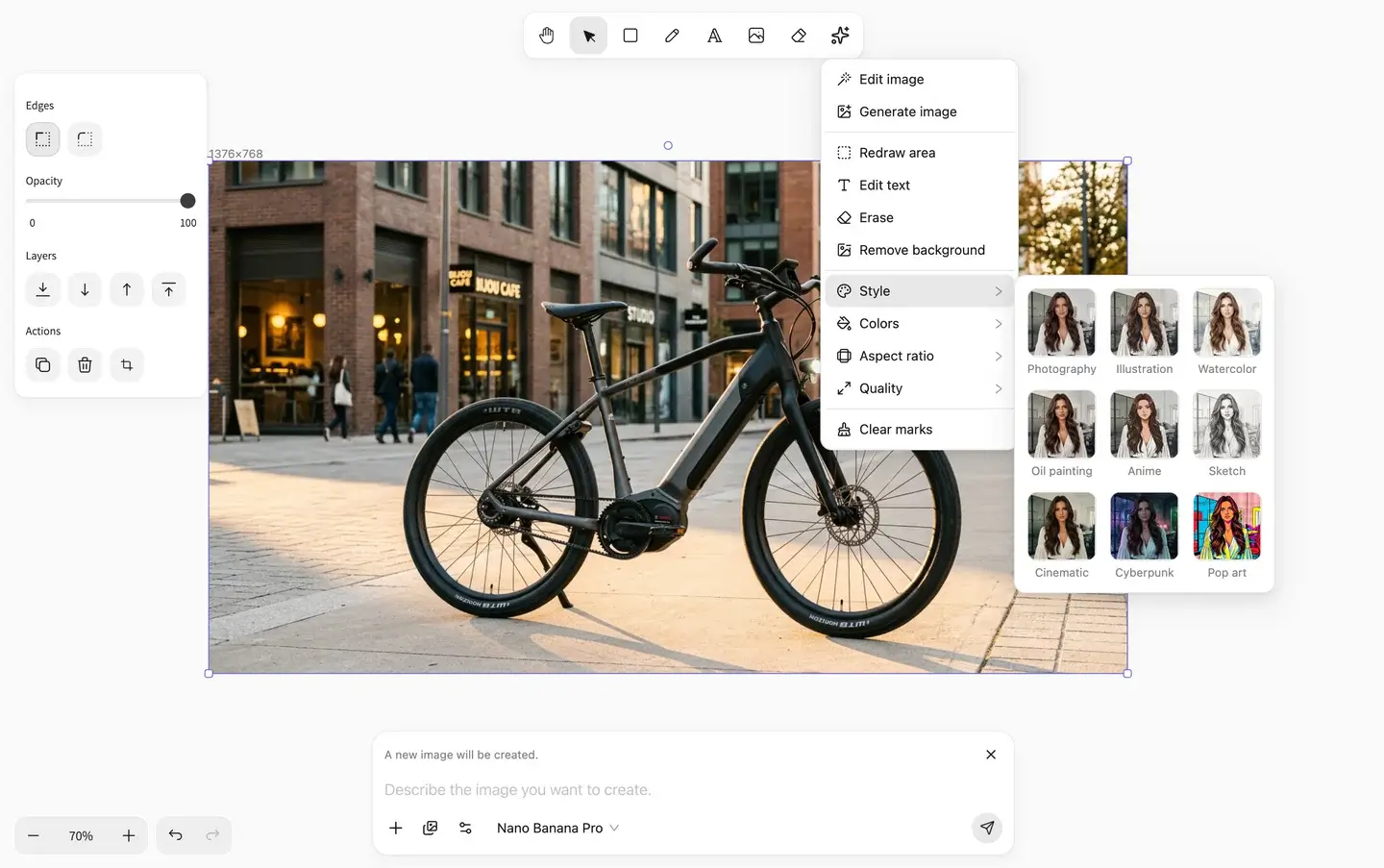
Change the text, the subject, the background, or one region. What you did not click stays. If it needs to stay sharp when enlarged, convert it to a vector and edit the shapes and the type.
Start with a question. SpanSearch reads the page and leaves the passage next to the sentence. The report, mind map, whiteboard, and picture each stay in their editor.