SpanSearch vs ChatGPT

For the research, SpanSearch or ChatGPT?

A fact, a rough start, getting the ideas out: ChatGPT is faster. A report on sources you picked, where each line can be checked against the page: SpanSearch.

Get started for free
The SpanSearch research workspace

One is for asking. One is for finishing the research.

You are handing over an answer, or a report someone else can check.

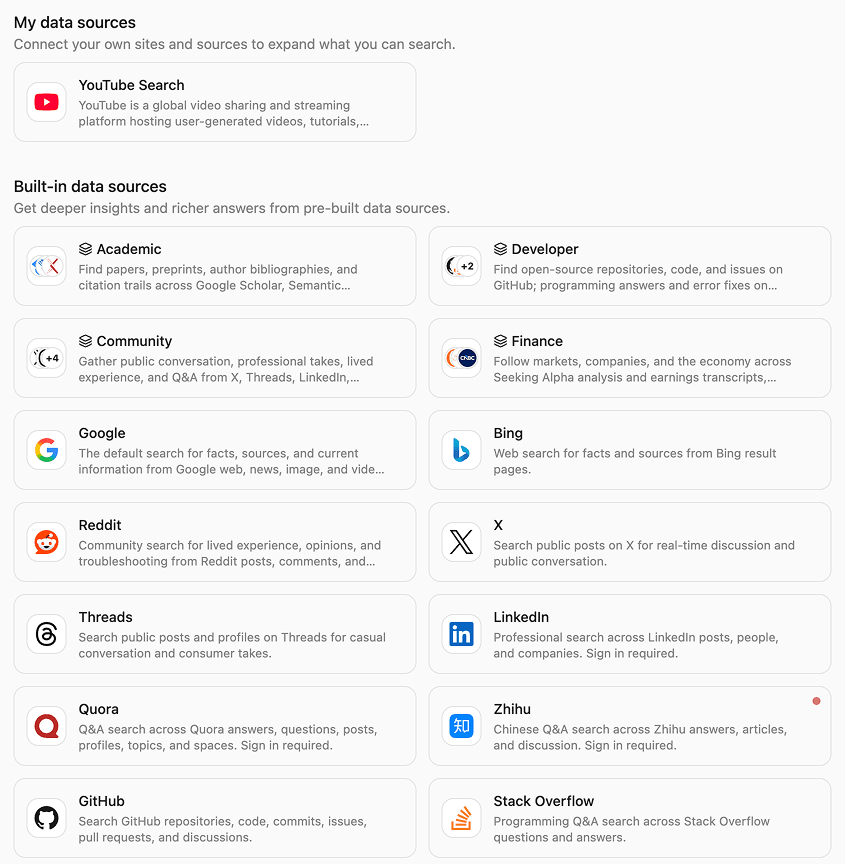
Name the sources first

ChatGPT will go look on the web, and it will keep writing from what you say. SpanSearch waits for you to set the range: the built-in sources, a group you saved, or a site you are logged into. If you skip that, it only picks from sources it can open right then.
Read the page

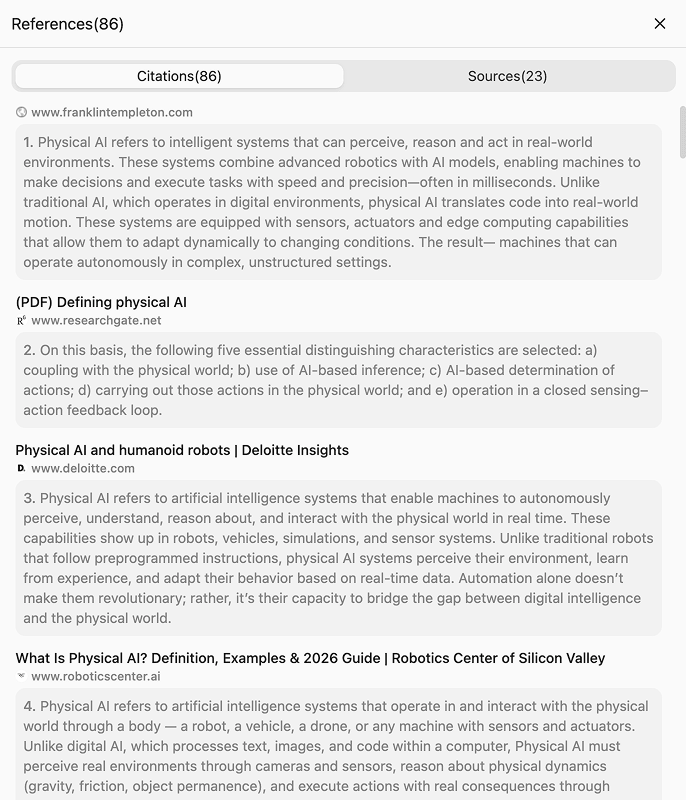
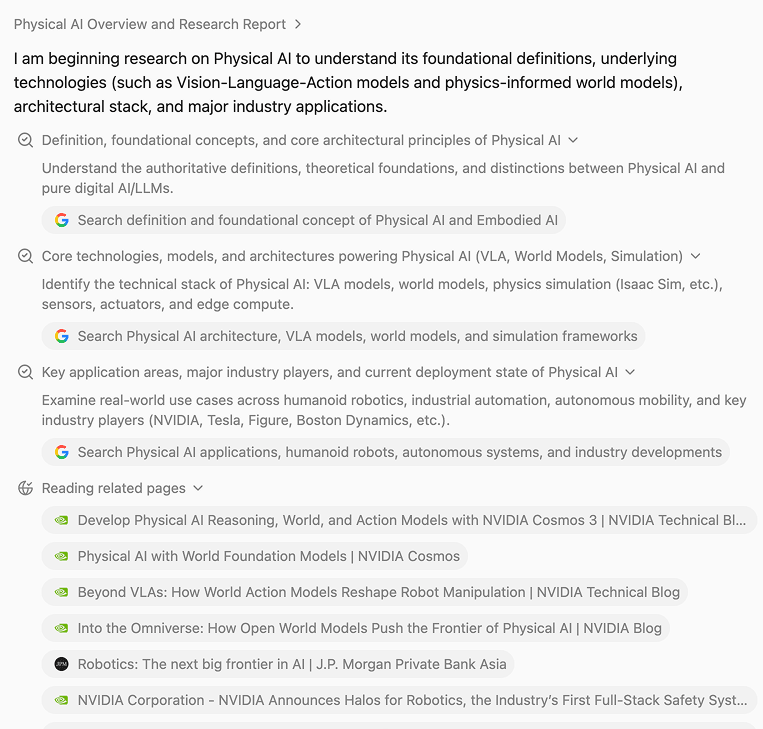
A smooth answer sometimes never gets past the title and the summary. The line that matters was on the page. SpanSearch finds the relevant pages and reads them. The report says what that page said.

The passage sits with the claim

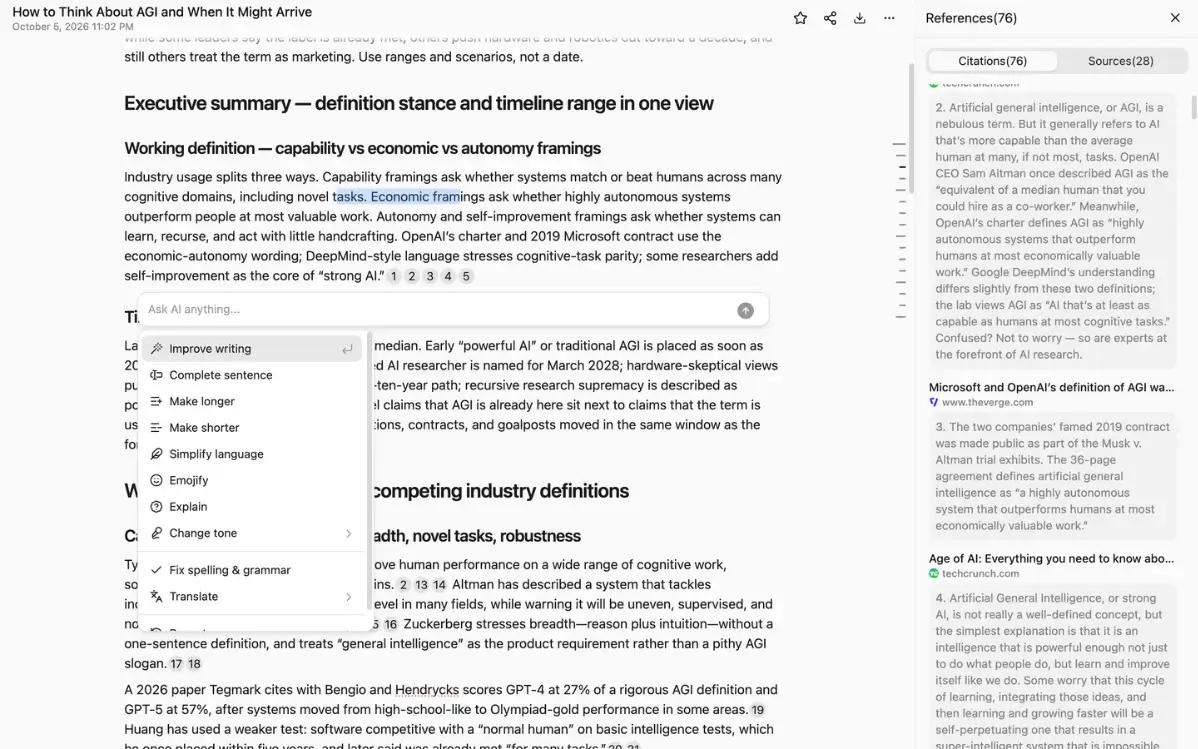
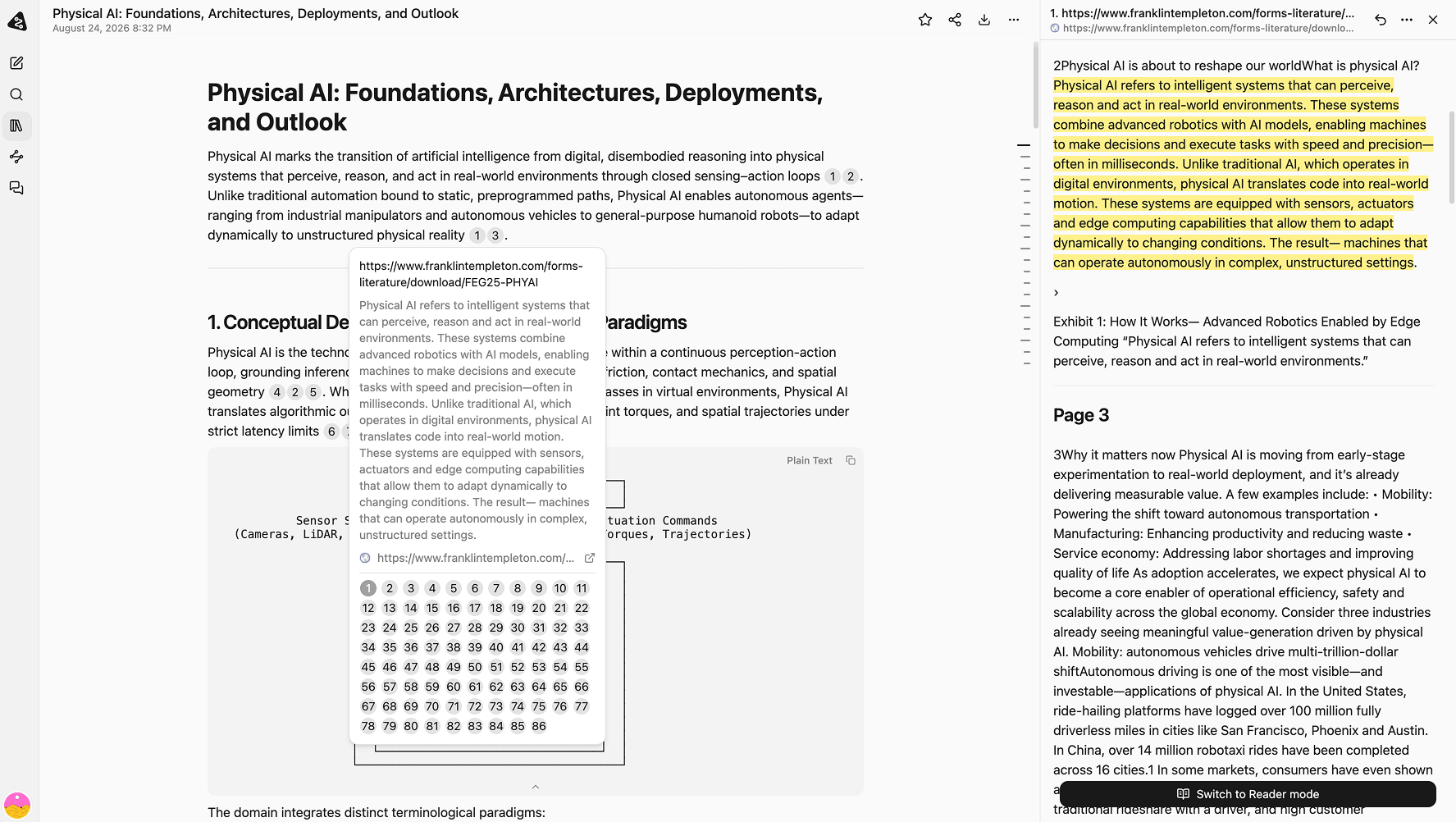
ChatGPT may give you a title or a link. You still have to find the sentence. SpanSearch points the claim at that passage. Read it, then keep the line or drop it.

The material stays on this computer

ChatGPT keeps the chat in your account. SpanSearch keeps the conversation, the library, attachments, and the sources you add on this device. A run is sent through the server to the model. It is not stored there afterward, and it is not used for training.

Where the research actually differs

How a source gets in, how far the page is read, how a claim is checked, and where you edit when you are done.

A source you connected yourself

A site that is not in any catalog

Internal docs, small sites, and tools you are already logged into rarely have a connector waiting. Open the page in the browser: a search result, or Zhihu while you are signed in. No MCP server to stand up, and no password to hand over.

Get started for free
Find the pages, then read them

Find the pages, then read them

After the sources are in, SpanSearch scans the relevant pages and opens them. Auto, low, medium, and high only change how much this run reads. The sources you set stay as they are. What gets written is what is on the page.

Get started for free
A report with the source passage

Check the sentence

The report goes into the library. Each claim is marked with the passage it came from. Open the page, read it, translate or shorten it if you need to, and decide if the line stays.

Get started for free
Editors you can use as soon as the report is written

Edit it here when you are done

The report, the picture, the map, and the board do not need another app.

  • Text editor
  • Image editor
  • Vector image editor
  • Mind map editor
  • Whiteboard editor
Get started for free

Side by side

FeatureSpanSearchChatGPT
What it is forResearch on sources you set, written up so it can be checked.Answers, drafts, and chat.
SourcesBuilt-in sources, a group you saved, and sites you connect, including pages behind a login.The public web and its own tools. Logged-in sites and small sites are often out of reach.
ReadingFind the relevant pages, then read them.Often an excerpt, a summary, or something it already knows.
CitationsThe claim points at the passage.Sometimes a link or a title. You still find the sentence.
Where it livesChats, the library, and sources you add stay on this device by default.The chat lives in your account.
What you leave withThe report stays in the text, image, vector, map, and whiteboard editors.A reply in the chat. Turning it into a doc or a picture usually means another tool.
Use it whenYou have to check it, redo it, or hand it to someone.A quick answer, a brainstorm, or a short draft you will rewrite.

Which one, when

Use ChatGPT

  • You need an answer to a specific question now
  • The idea is not shaped yet
  • You want a concept explained
  • A short draft you will rewrite yourself
  • Something that is not a research job

If speed and one conversation are the job, use ChatGPT.

Use SpanSearch

  • Every line in the report has to match something that was read
  • The search stays on sites you named
  • The site has no ready-made connector
  • You need the passage behind the claim
  • You still have to edit the report, a picture, or a map
  • The material has to stay on this computer

If it has to be checkable before you send it, use SpanSearch.

Write the report from sources you picked

Start with a question. SpanSearch looks in the sources you allow, reads the page, and keeps the passage with the report.

Get started for free